
Water Cooler Benefits and Features: A Comprehensive Guide
- Water cooling is a technology used to cool thermal components in computers. It is used in desktop computers and advanced gaming devices .
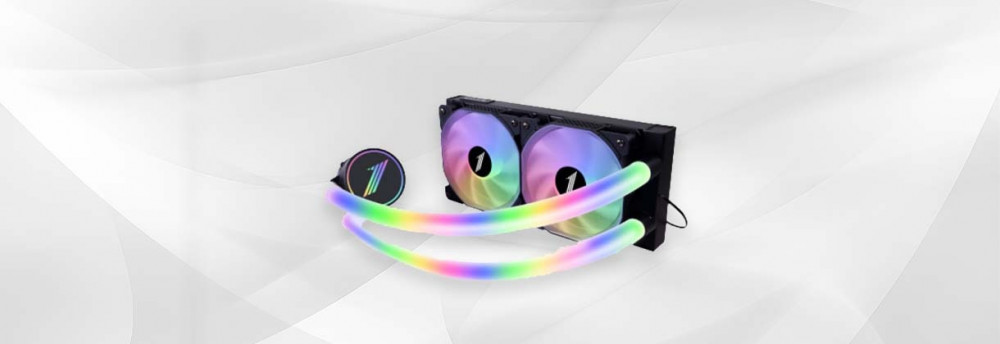
- It circulates cold water over the computer's thermal components instead of using a traditional air cooler. A water cooler consists of a pump, a heat exchanger, tubes, a fan, and a water reservoir.
- A water chiller works by converting the heat of the thermal components into hot water passing through the heat. The hot water is sent to a heat exchange unit located far from the thermal components, which cools the hot water and converts it to cold water. The cold water is sent to a water tank, from which the cold water returns to convert the heat of the thermal components again.
Water-cooled technology has several advantages, including:
1- Improve processor performance:
- A water cooler allows the processor to perform better and run at higher speeds, thanks to better control of the processor's temperature.
2- Noise reduction:
- The water cooler operates almost silently, reducing the noise generated by a traditional air cooler.
3- Reducing temperatures:
- A water cooler reduces temperatures better than a traditional air cooler, improving computer performance and extending the life of thermal components.
4- Aesthetic design:
- The water cooler features an aesthetic design that adds a stylish look to your computer.
Some disadvantages of using water cooling include:
1- Cost:
A water cooler is more expensive than a traditional air cooler, and installation requires specialized expertise.
2- Maintenance:
The water cooler requires regular maintenance to clean and change the water, and if unclean or untreated water is used, it may cause damage to the thermal components.
3- Safety:
Necessary safety precautions must be followed when using a water cooler, especially when there is a water leak or electrical leak, to avoid serious damage to the computer and its surroundings in the event of errors or malfunctions.
4- Size:
A water cooler requires additional space in the computer to install it, which means it may not be compatible with some small computers or laptops.
5- Weight:
A water cooler requires a sturdy base to support its weight and the weight of the water used in it, which means it can be a bit heavy and not suitable for all computers.
- Ultimately, water cooling is a good option for cooling thermal components in computers, but the advantages, disadvantages, installation costs, maintenance, and safety must be considered before deciding to use it.
Can a water cooler be used in mobile devices?
The use of a water cooler in portable devices is generally not possible for several reasons:
1- Size:
A water cooler requires additional space in the computer to install it, which means it may not be compatible with smaller laptops.
2- Weight:
A water cooler requires a sturdy base to support its weight and the weight of the water used in it, which means it can be a bit heavy and not suitable for portable devices.
3- Energy:
A water cooler requires an electric pump to move the water, which means that sufficient power must be provided to operate the pump. This can cause the battery to drain faster and shorten its lifespan.
4- Maintenance:
The water cooler requires regular maintenance to clean and change the water. This means that the unit must be opened and the water cooler removed for maintenance. This can void the warranty on the unit.
5- Safety:
Necessary safety precautions must be followed when using a water cooler, especially if there is a water leak or electrical leak, as this can be dangerous to portable equipment.
- In general, air cooling or a heat sink can be used in mobile devices, which is easier, safer, and requires no regular maintenance. Mobile device manufacturers can improve air cooling to increase its efficiency and improve the device's performance in cooling thermal components.
- Air cooling is the most common cooling method for portable devices. It relies on the flow of cool air across a heat sink to convert the heat from the components into cool air. This is accomplished by a fan that draws in cool air from outside, pushes it through the heat sink, and expels hot air from the device.
- Air cooling is easy to maintain and install, and laptop manufacturers can improve it by increasing the size of the heat sink or the number of fans to increase its efficiency.
- Some mobile device manufacturers use liquid cooling technology in some high-end mobile devices, which uses a liquid cooler instead of an air heat sink to transfer the heat from the thermal components to cold water. The hot water is sent to a heat exchanger unit to be cooled and converted to cold water, and the cold water returns to convert the heat from the thermal components again.
- However, liquid cooling is an uncommon option for portable devices, as it requires a special design to store, pump, and cool water, and can increase the weight and cost of the device. Liquid cooling also requires regular maintenance to change the water and clean the pipes, and can be dangerous if water leaks from the device.